
The apps
Apps
Two apps, one system. Staff run the day from their phone — even offline — while Willow keeps families in the loop with messages from school. Both install to the home screen, with nothing to download from an app store.
For staff
An offline staff app they’ll actually use
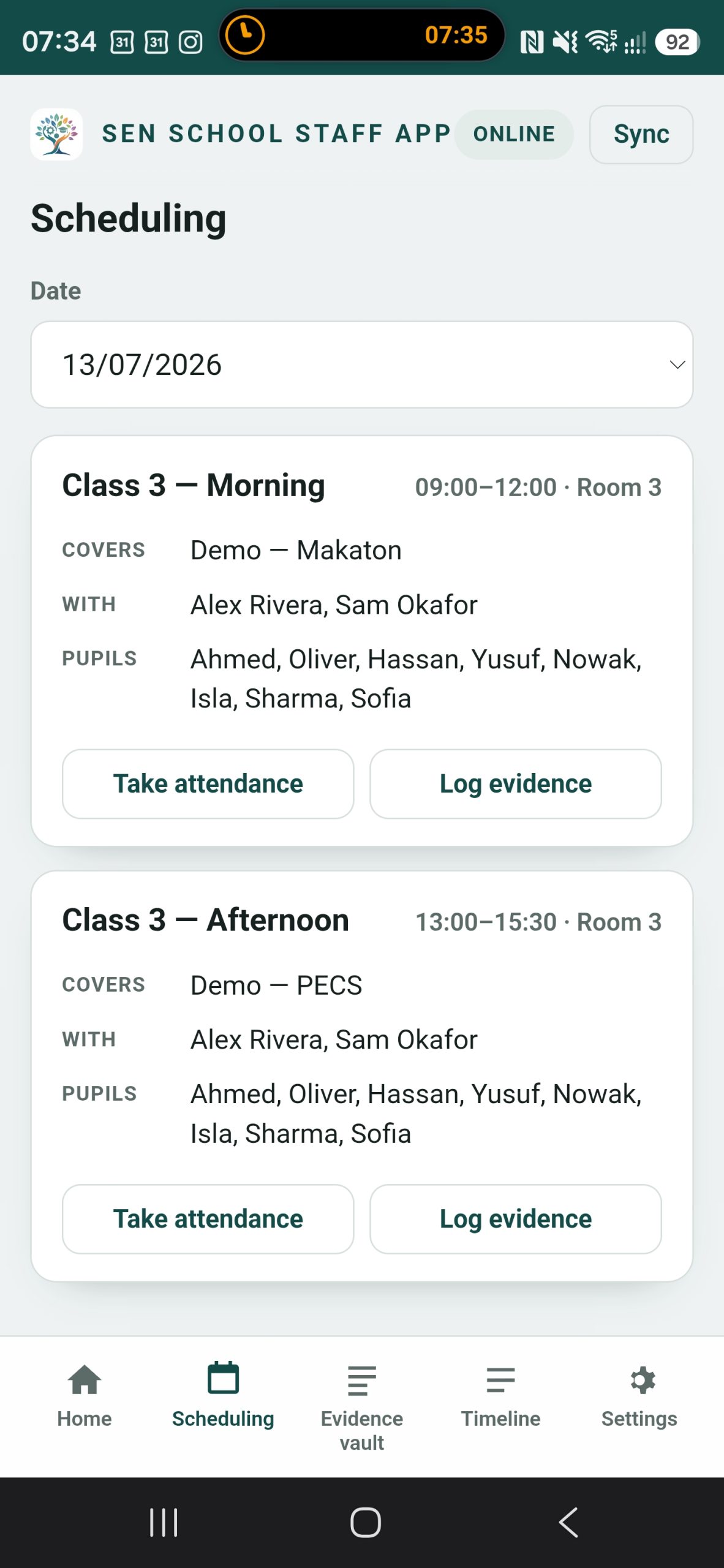
- Take a register with the DfE-standard codes
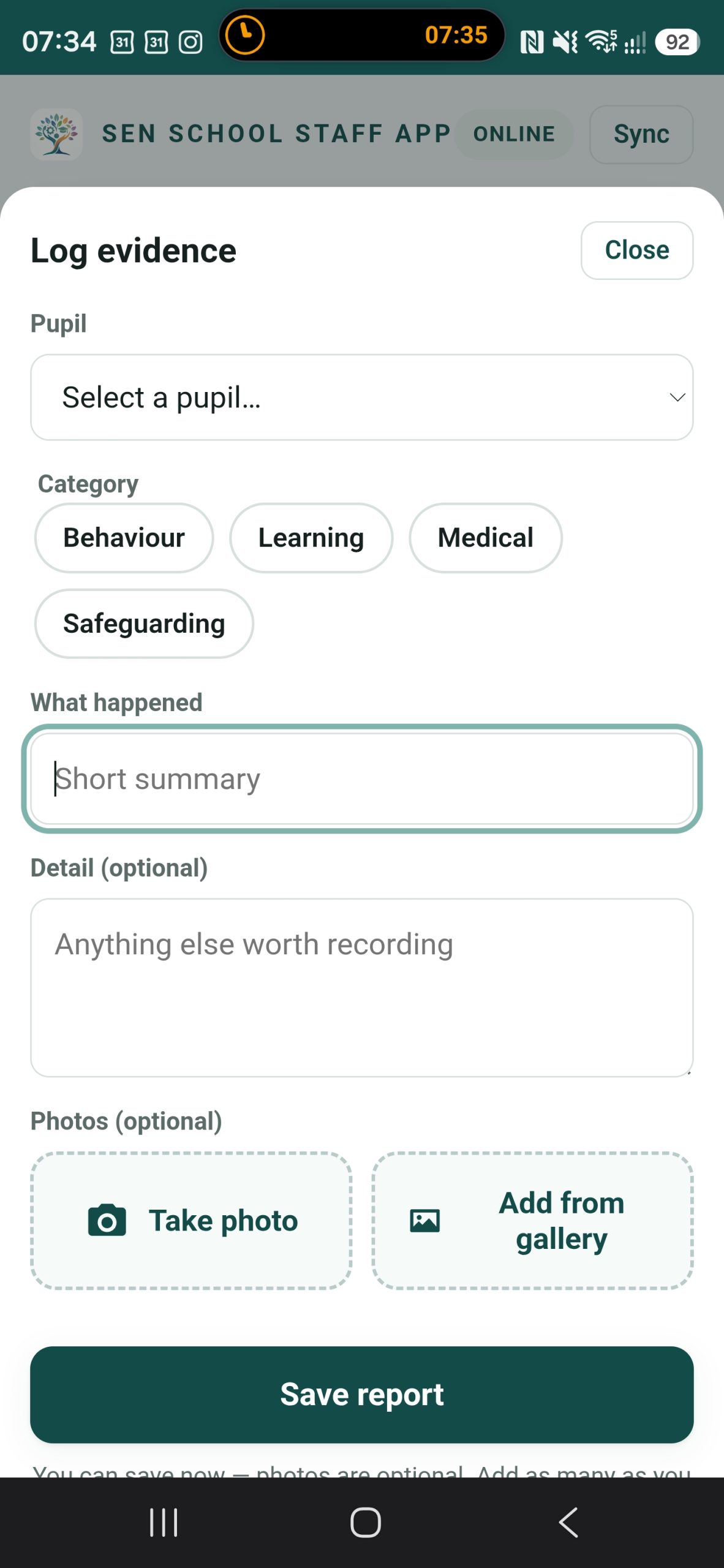
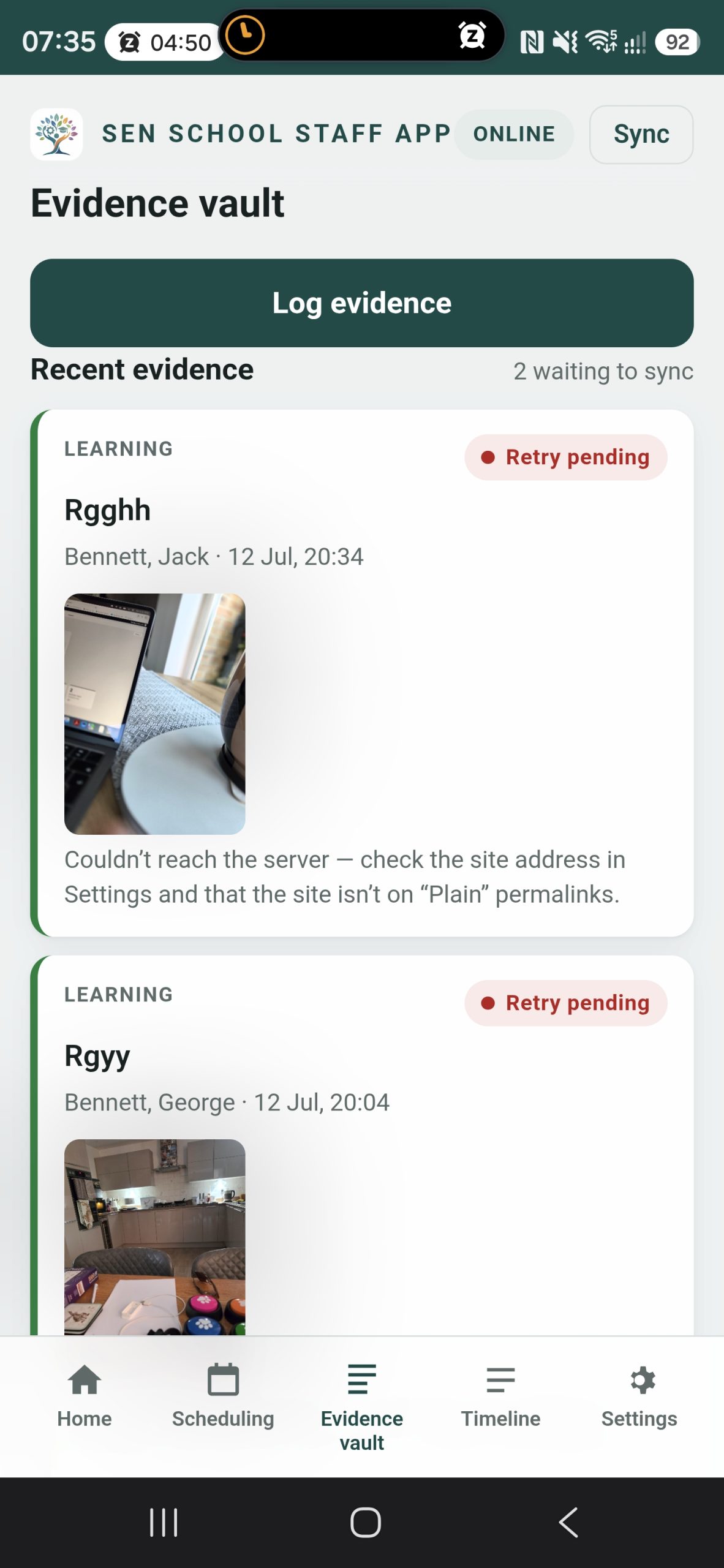
- Log an incident or event, with a photo
- Works offline, then syncs when back online
- Scan or paste a sign-in code; optional PIN lock
- Fingerprint or Face ID unlock, with the PIN as a backup
- Branded with your school’s name, logo, colours and app icon
- Install to the home screen — no app store, no fees
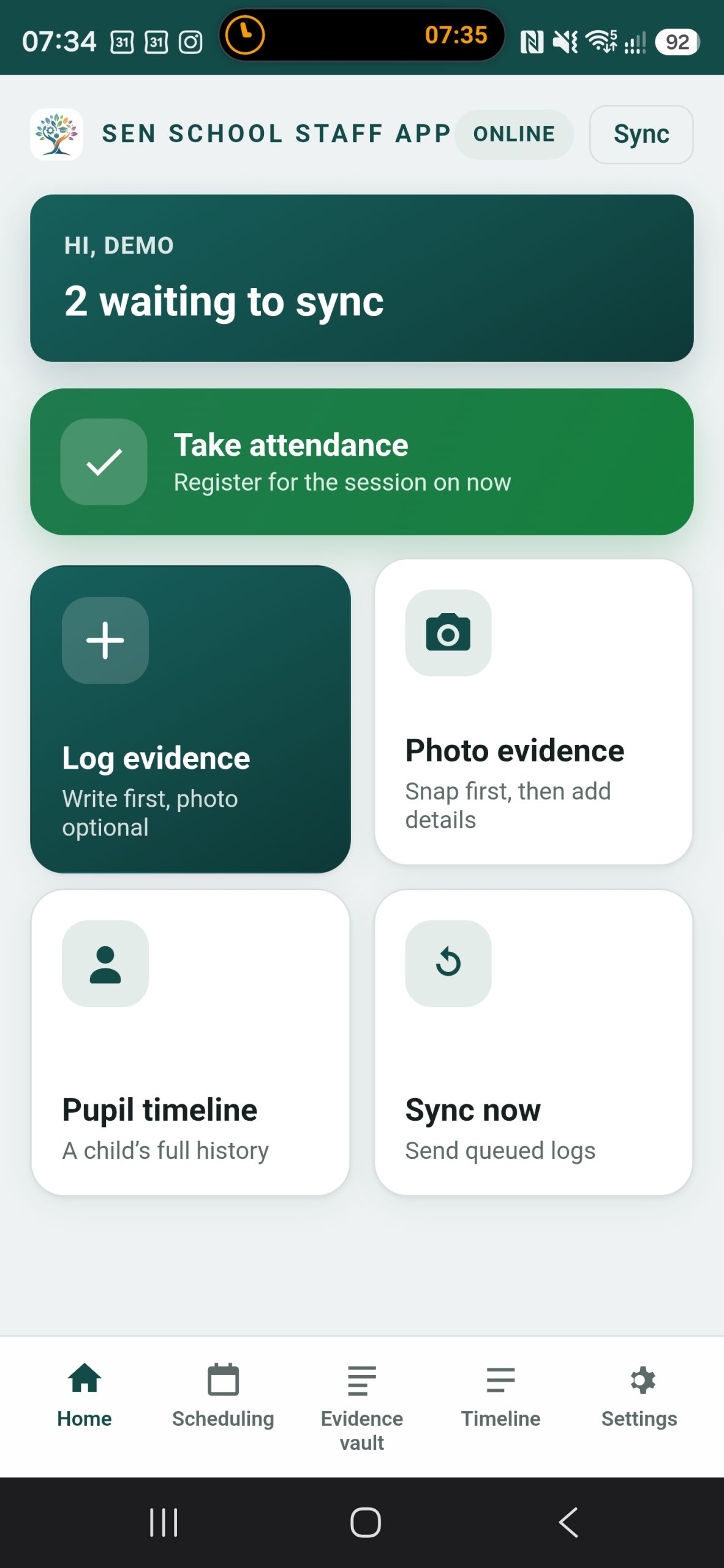
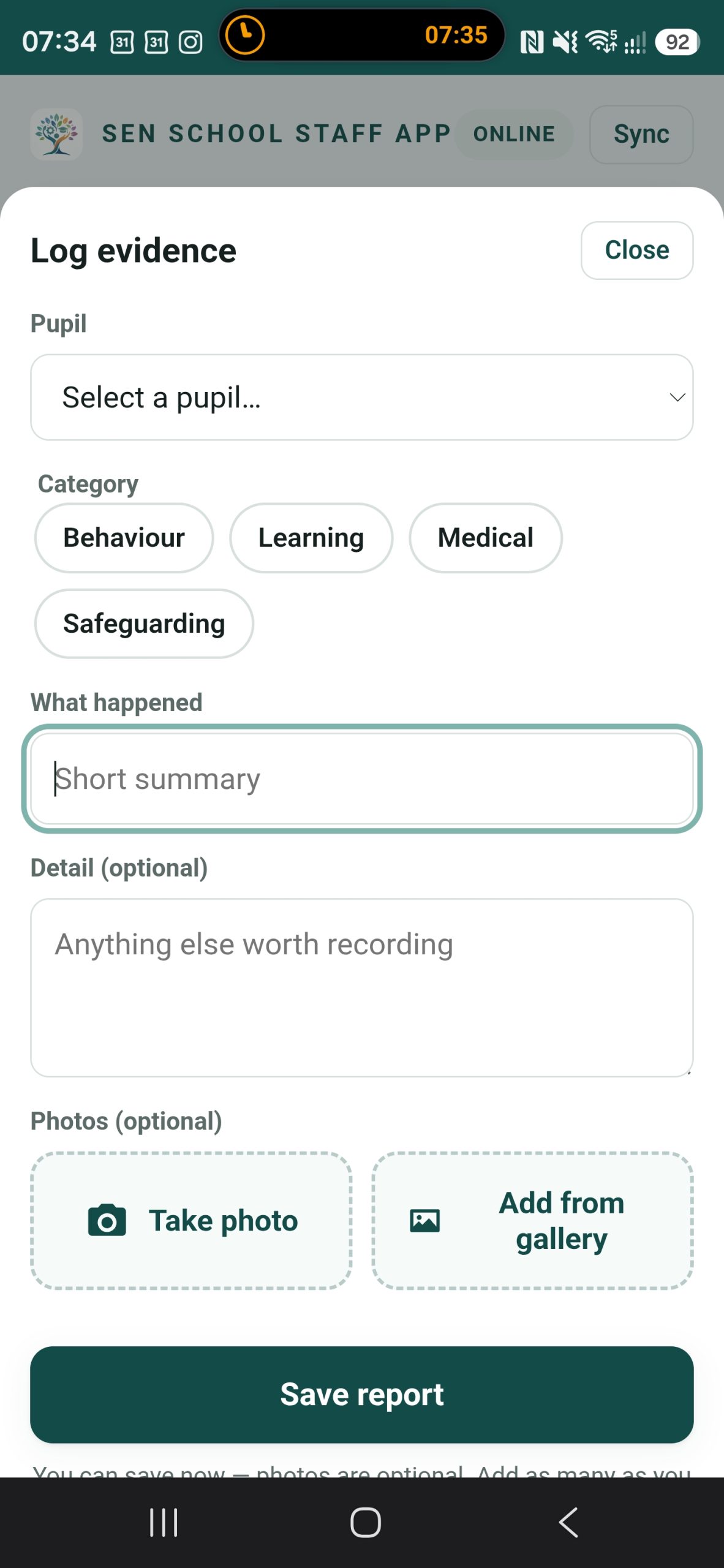
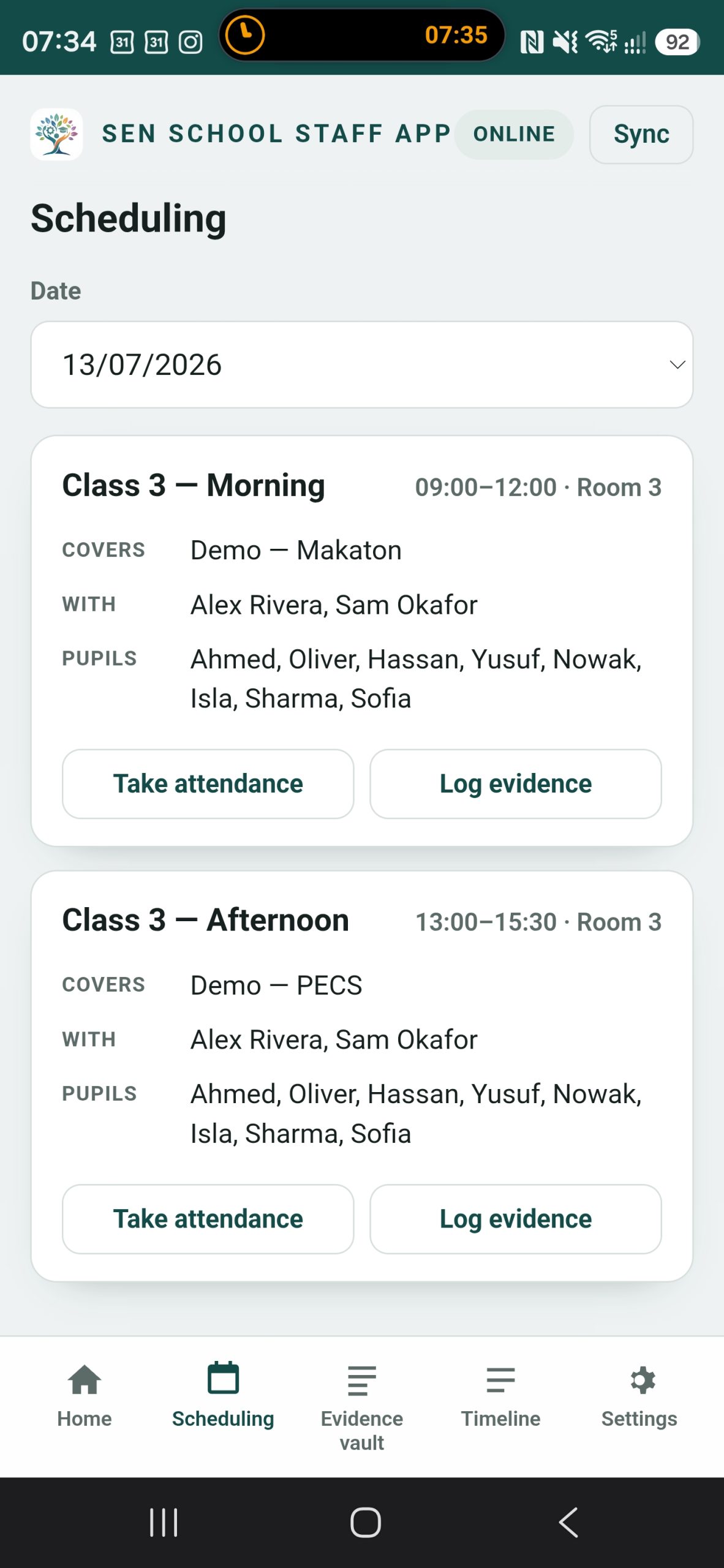
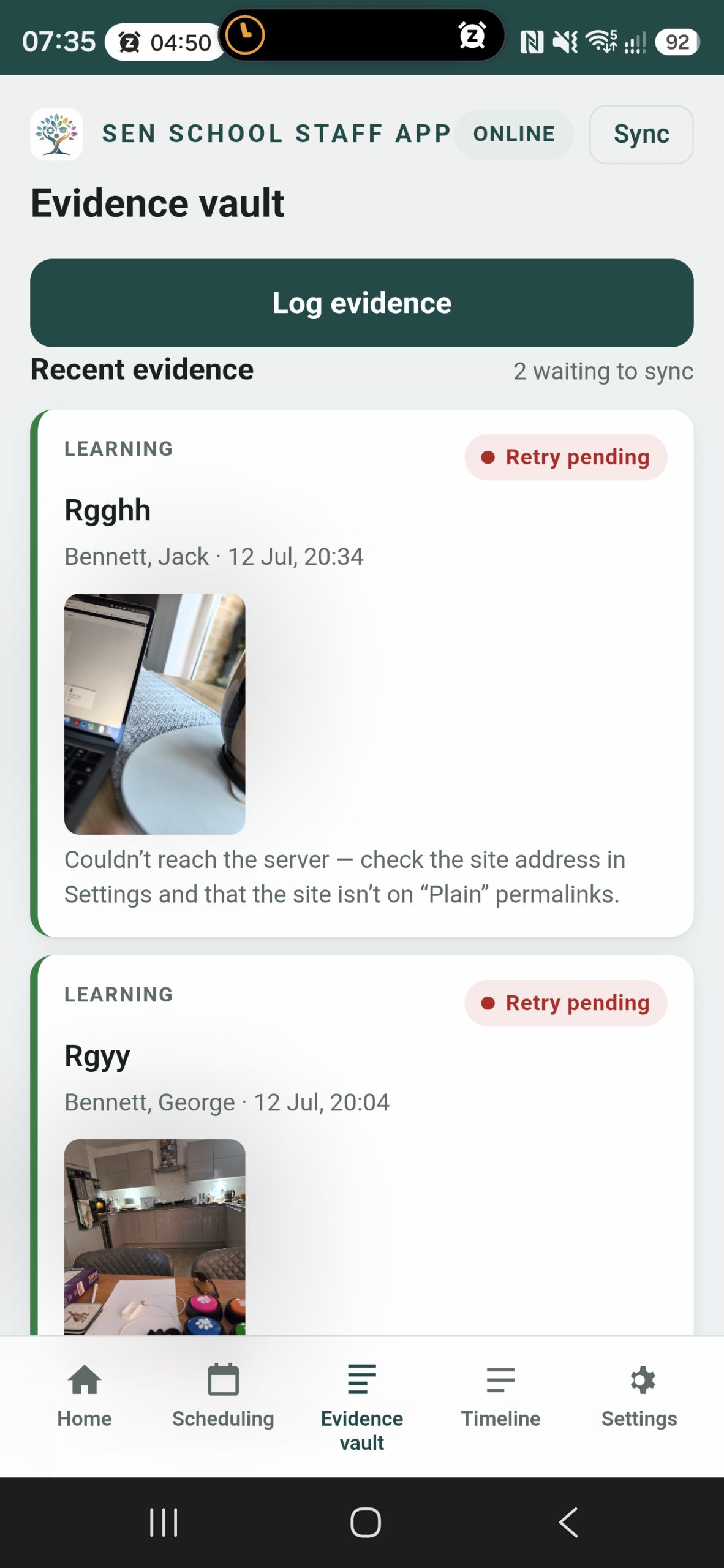
A look inside the staff app
Designed to be quick in class
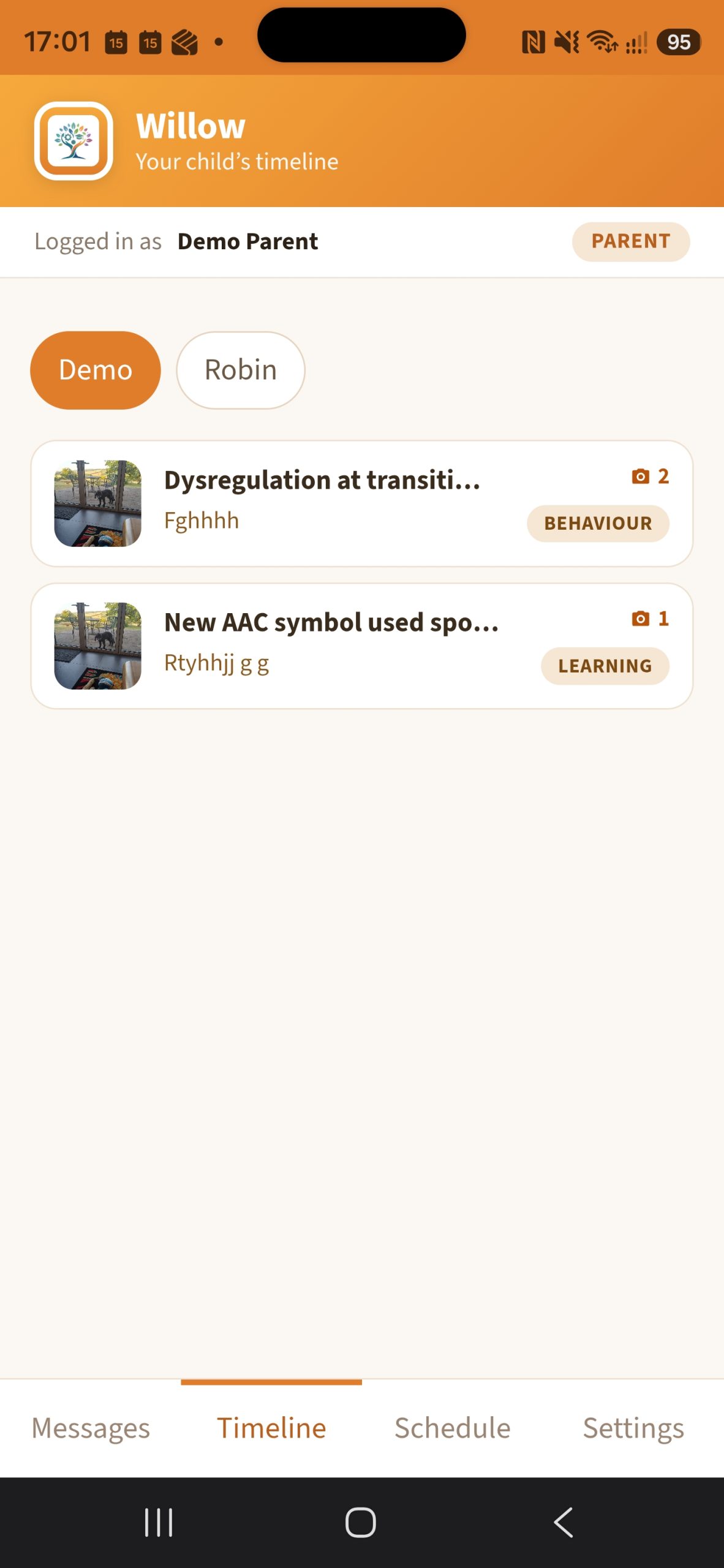
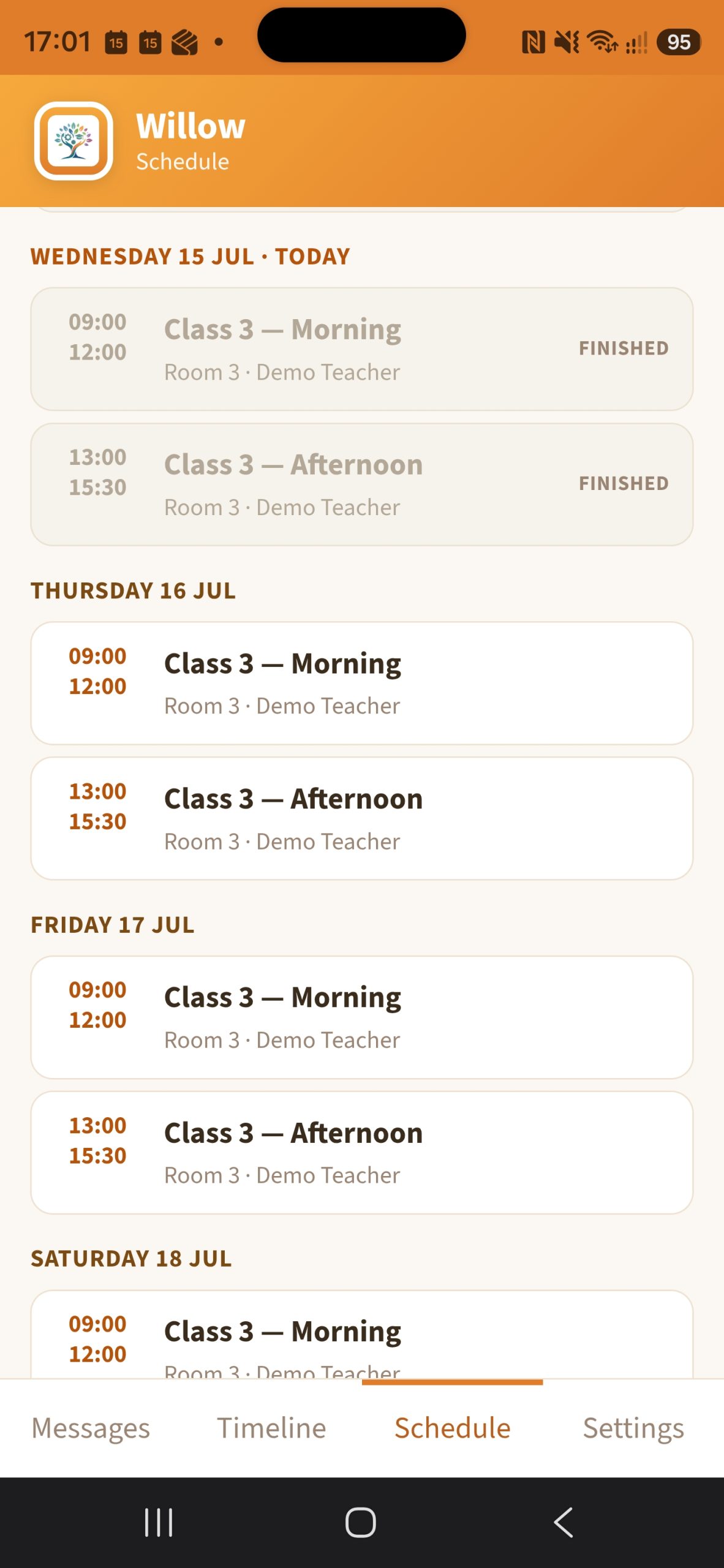
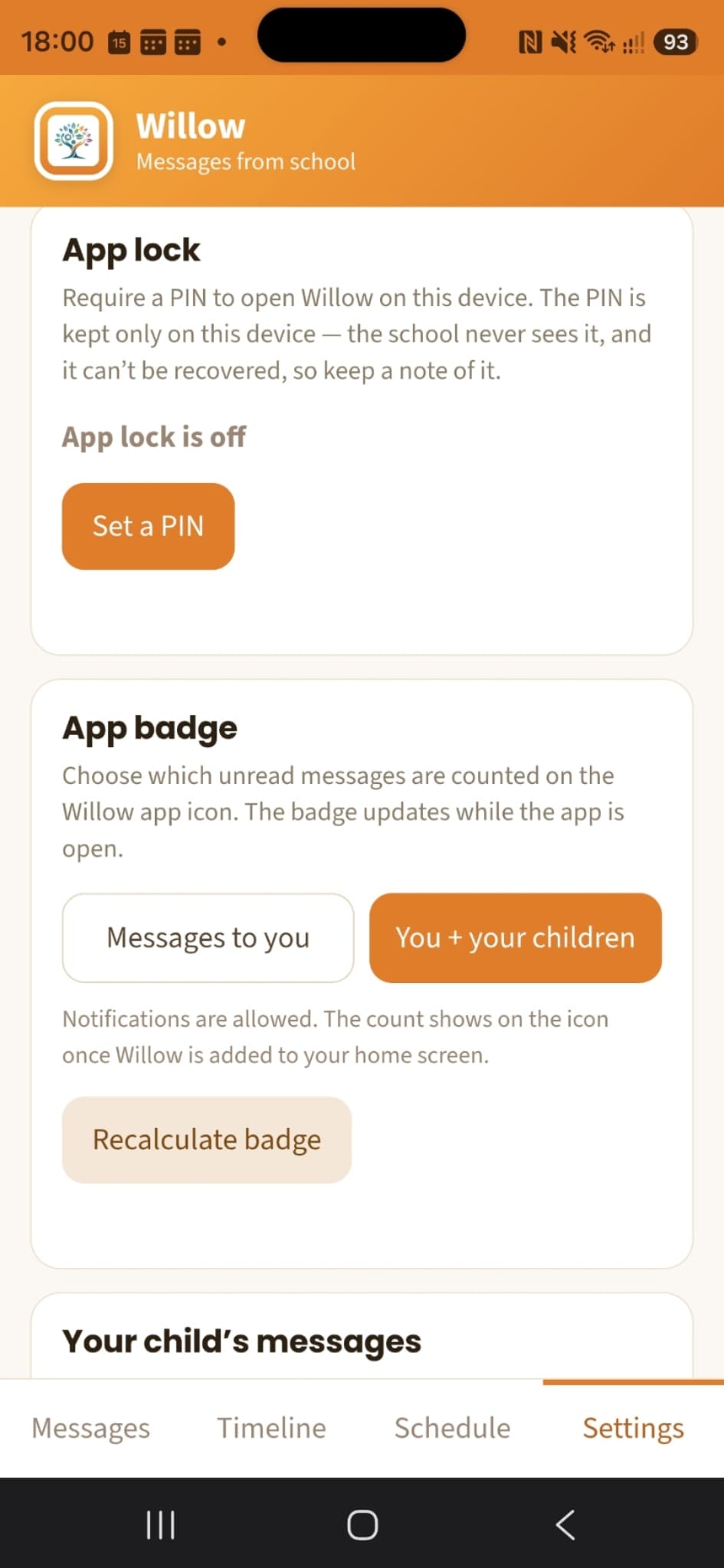
For families — Willow
A warm, simple app for parents & pupils
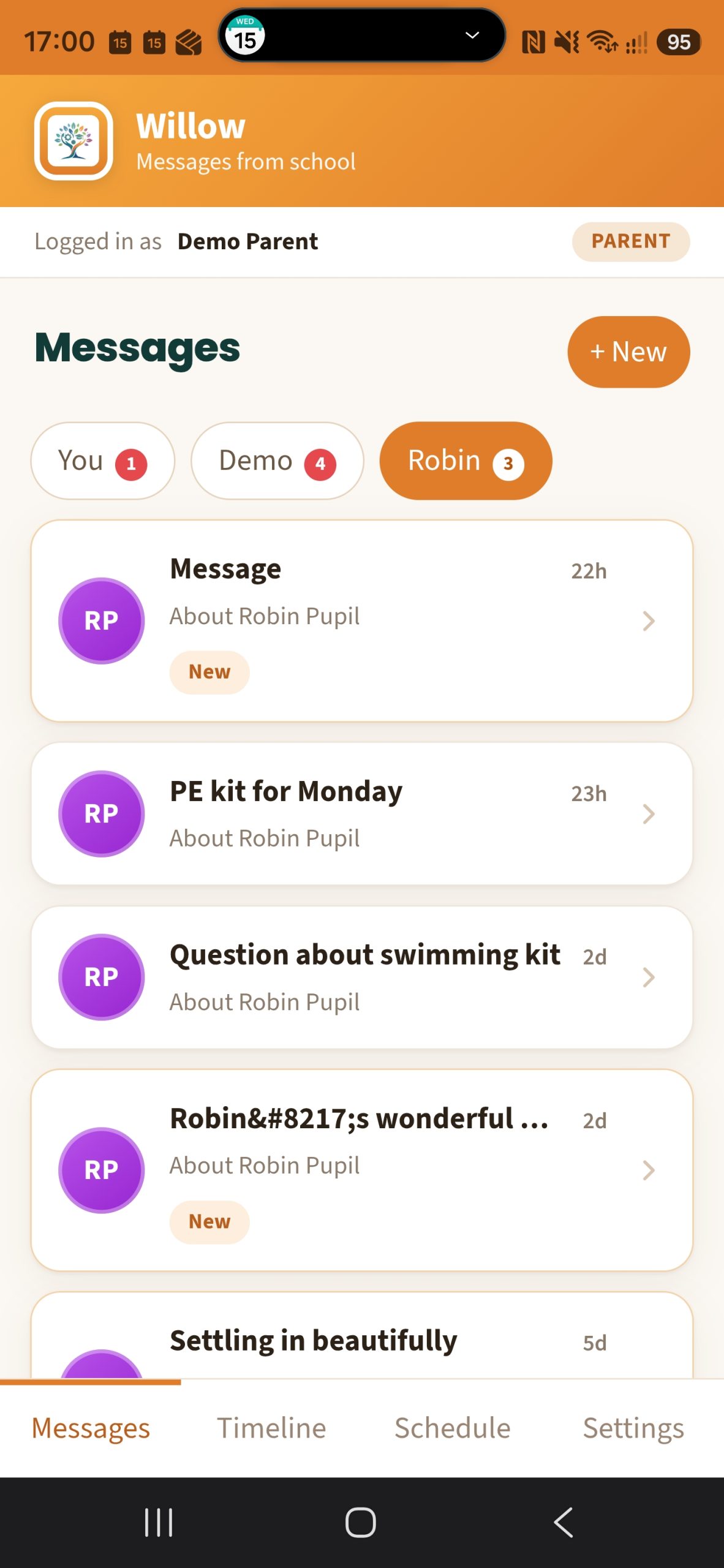
- Read messages from school in one calm place
- Reply in a tap — the school sees it straight away
- A clutter-free inbox designed for families
- Installs to the home screen — no app store, no fees
- Private and secure — each family sees only their own child
A look inside Willow
Designed to feel effortless
📱
Install like an app
Both apps add to the home screen from the browser — a real app icon, full-screen, no download and no fees.
🔔
Offline for staff
Registers and events are saved on the device first, then synced — nothing lost to a dropped signal.
💬
Connected families
Willow gives parents and pupils tidy, two-way messaging with school — each family sees only their own child.